

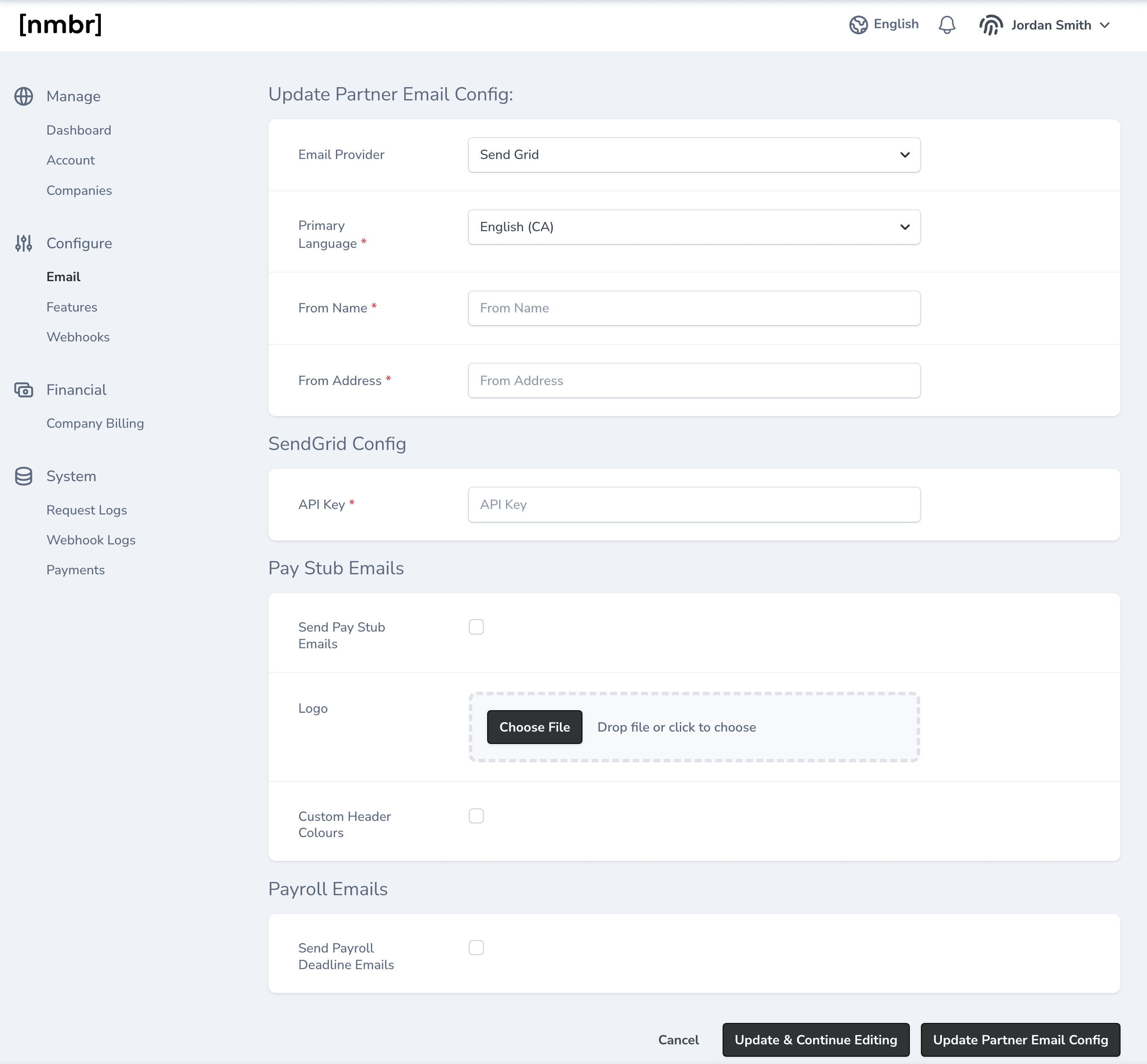
Email Sending Configuration
Email Provider
Before you begin, you will need an email provider. Currently, Mailgun, Mandrill and SendGrid are supported. You will need to create an account with the provider. Once you have an account with an email provider, select it from the dropdown menu.Primary Language
Nmbr can send emails in English or French.From Name and Address
These fields define the sender’s name and email address. For example, a company named “Success People Systems” might use “SPS Payroll” as the sender name and “payroll@successpeoplesystems.com” as the email address. Recipients will see:"SPS Payroll <payroll@successpeoplesystems.com>".
Emails
Pay Stub Emails
On the day before payday, Nmbr can email employees their pay stub. The pay stub will be sent from the email address configured in the email provider settings and delivered to the employee’spersonal_email address. If no personal email is configured, the employee’s work_email is used instead.
The pay stub is sent as a password-protected PDF attachment. The email includes instructions for unlocking the PDF, which uses digits from the employee’s date of birth and social insurance number.
You can also upload a company logo to be used in the email and customize the header colours to fit your brand.
Payroll Deadline Emails
Nmbr can send an email to the Business Entity’s contact email reminding them of an approaching payroll approval deadline. Payroll deadline reminders are sent only if a payroll remains in draft as the deadline approaches:- Four days before the approval deadline: Nmbr sends a reminder email.
- Day of the deadline: An urgent follow-up email is sent if the payroll remains unapproved.